





























How to Activate Google-Based Theft Protection on Any Android Smartphone

While theft protection cannot prevent your device from being stolen, it provides significant control over your smartphone and its data in unexpected situations. Android OS includes integrated tools that help you manage and secure your device and personal information. With features like tracking, remote locking, and data wiping, Google’s theft protection service is a valuable tool for smartphone security. Here’s how to enable it:

Key features include:
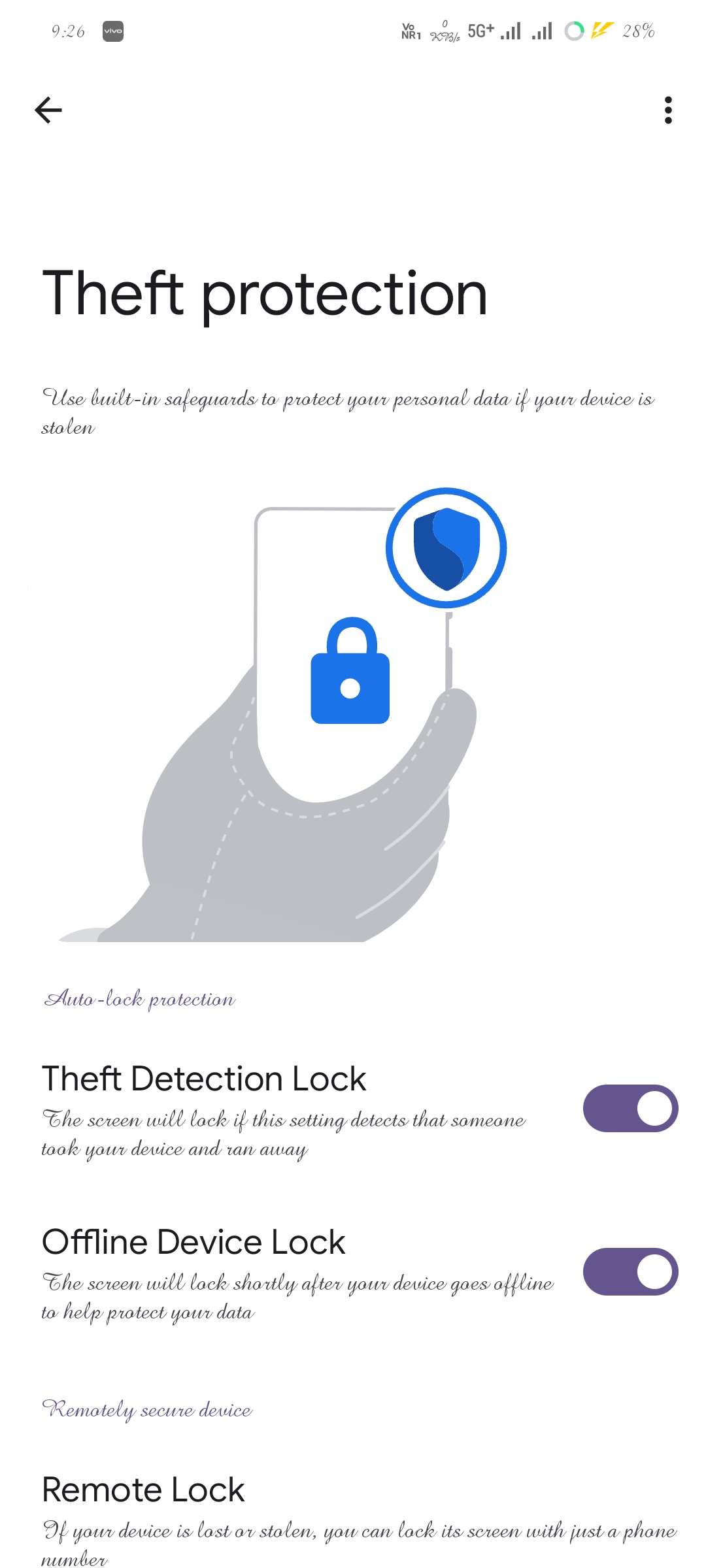
Theft Detection Lock: Automatically locks the screen if the phone detects unusual movement, such as being snatched and moved rapidly.
Offline Device Lock: Locks the screen automatically if the phone is disconnected from the internet for a prolonged period.
When this feature is enabled, users can also remotely lock, locate, or erase their devices using the Find My Device service.
By default, this feature is turned off and must be activated manually.
Steps to Enable Theft Protection
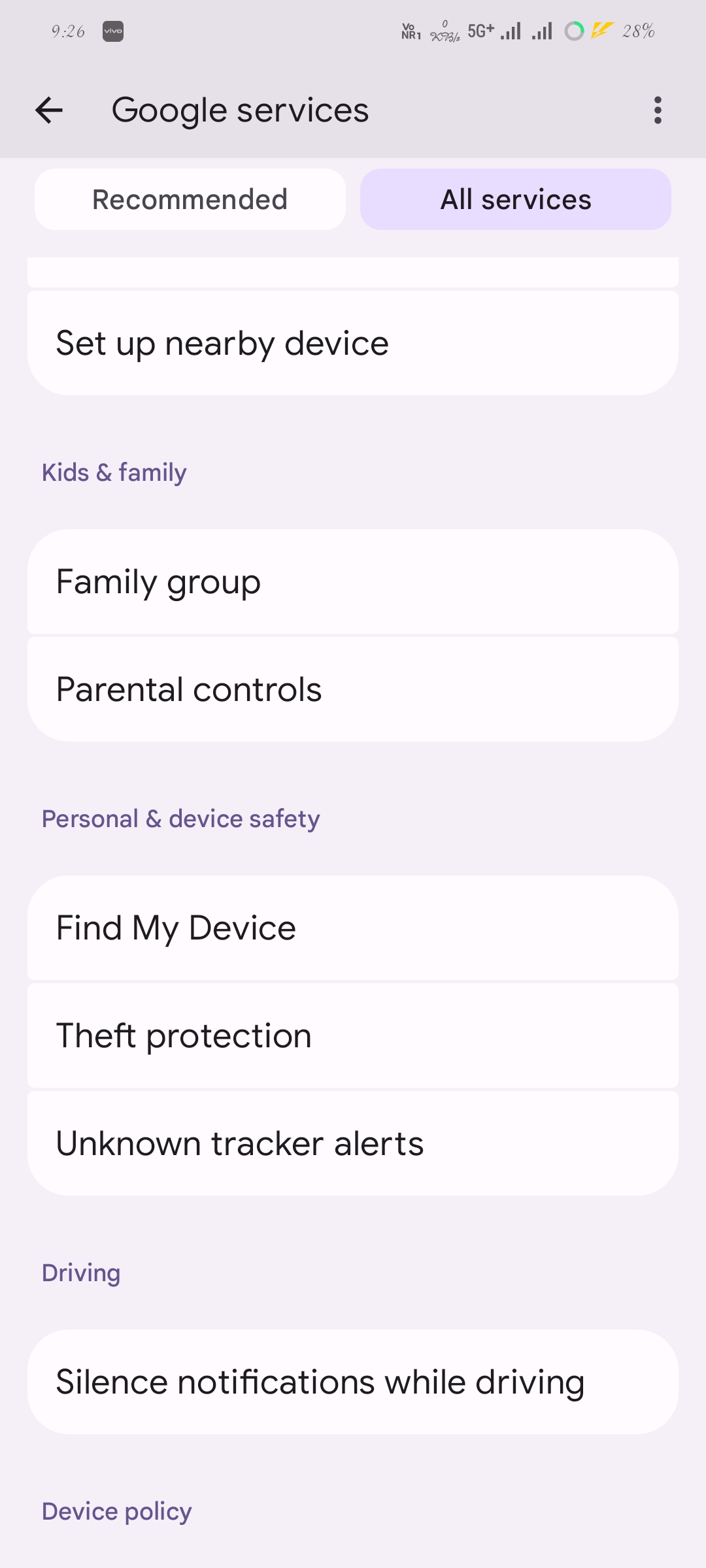
1. Open Settings > Google > Google Services.
2. Navigate to All Services > Personal and Device Safety >Theft Protection.
3.Turn on both Theft Detection Lock and Offline Device Lock to enhance the security of your Android smartphone.
Please sign in
Login and share