



















Origin os 6 : What's New - EP 01

Hi vivoicers ,
Good to see such an overwhelming response we received from you guys regarding origin os 6.
As the rollout is happening in batches , you may yet to be received it.
No worries , here I am .... Starting this series to show you all the new changes origin os 6 is bringing.
Control center
Now you can experience a branch new look to the control center. Not just one ..... There are two options for your preference.
How to access:
Go to settings > search "Control center".
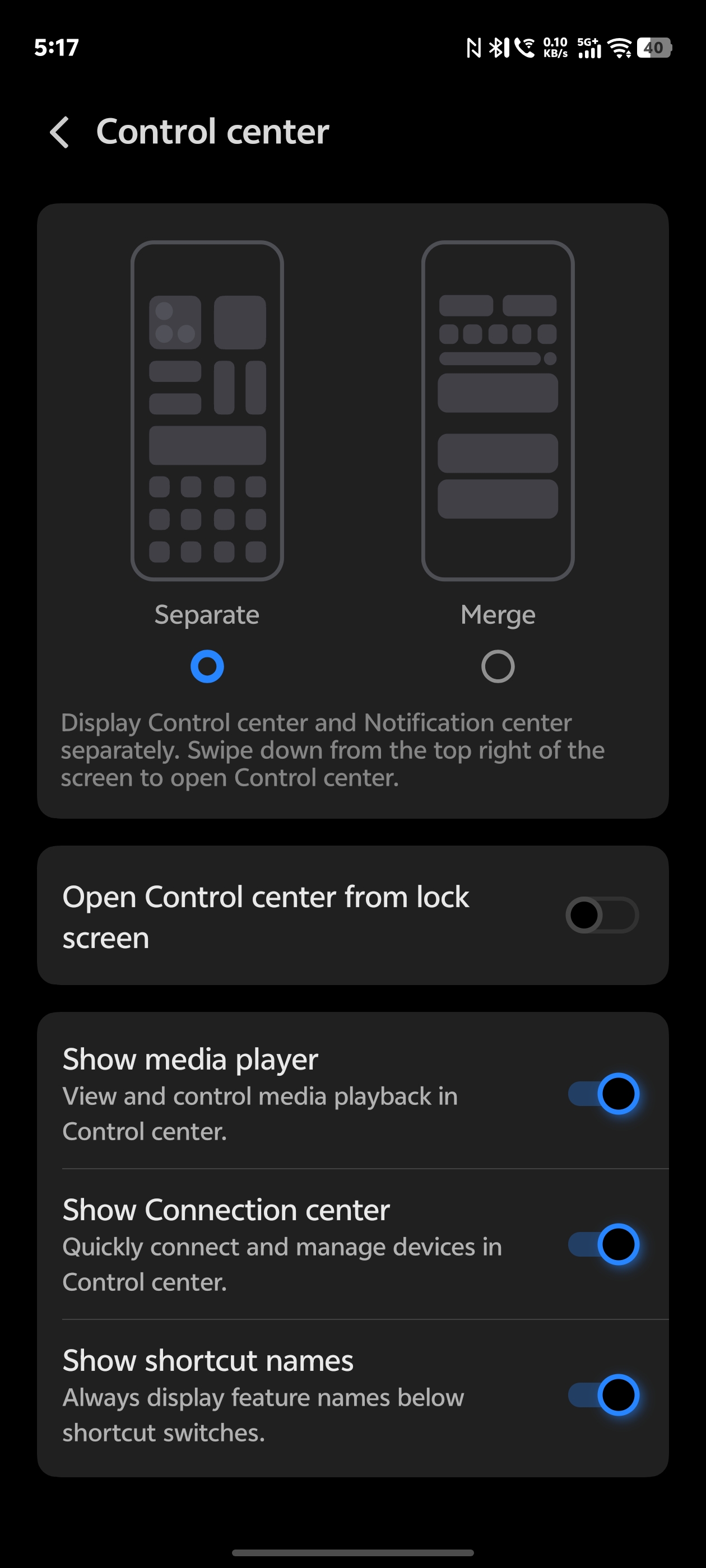
You can select any of those option (Separate or merge)
Separate
This is how your control center look like if you select separate option.
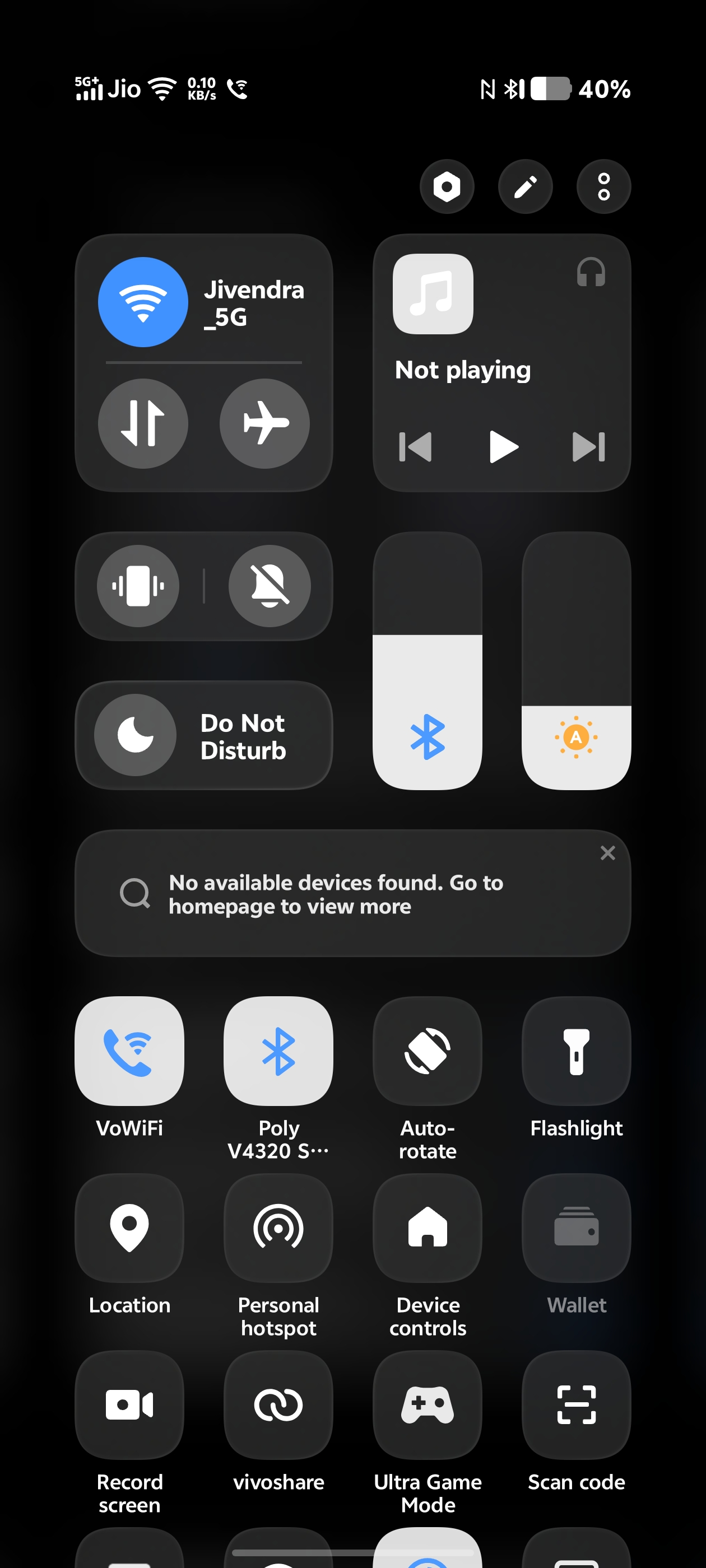
Swipe down from right is to access control center and swipe down from left will lead you to notification center.
Merge
This is how your control center look like if you select Merge option.
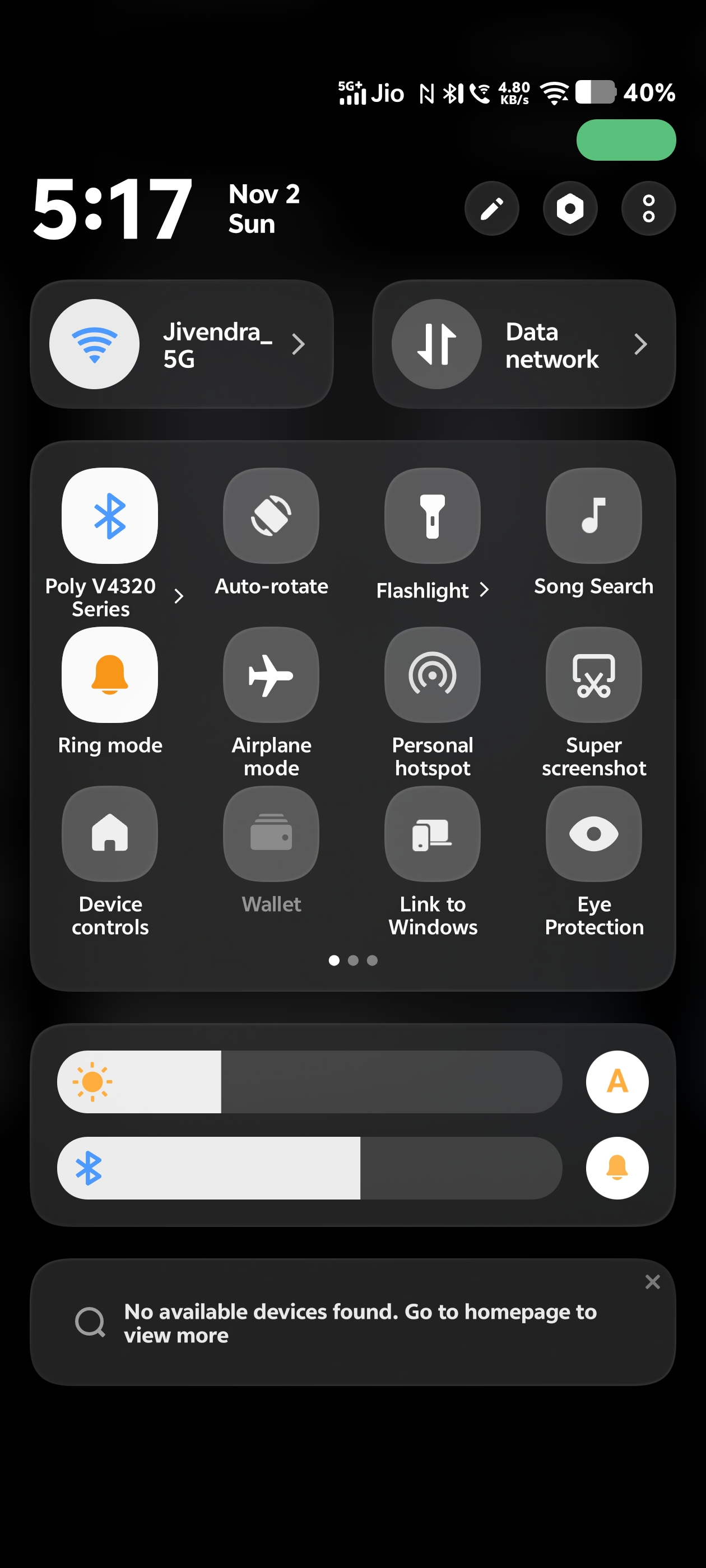
Here you can view both control option and notification from single swipe.
Stay tuned ..... As I'm going to continue this series to share all the new changes or features with you all .
Please sign in
Login and share