











What is WQHD+ and why should you care?

If you're like me, you probably have no idea what WQHD+ means. Is it some kind of alien language? A secret code? A new type of cheese? Well, none of the above. WQHD+ stands for Wide Quad High Definition Plus, and it's a display resolution that is becoming more popular in smartphones and laptops.
But what does it actually mean? And why should you care?
Well, let me explain in this hilarious blog post that will make you laugh out loud and also educate you on the wonders of WQHD+.
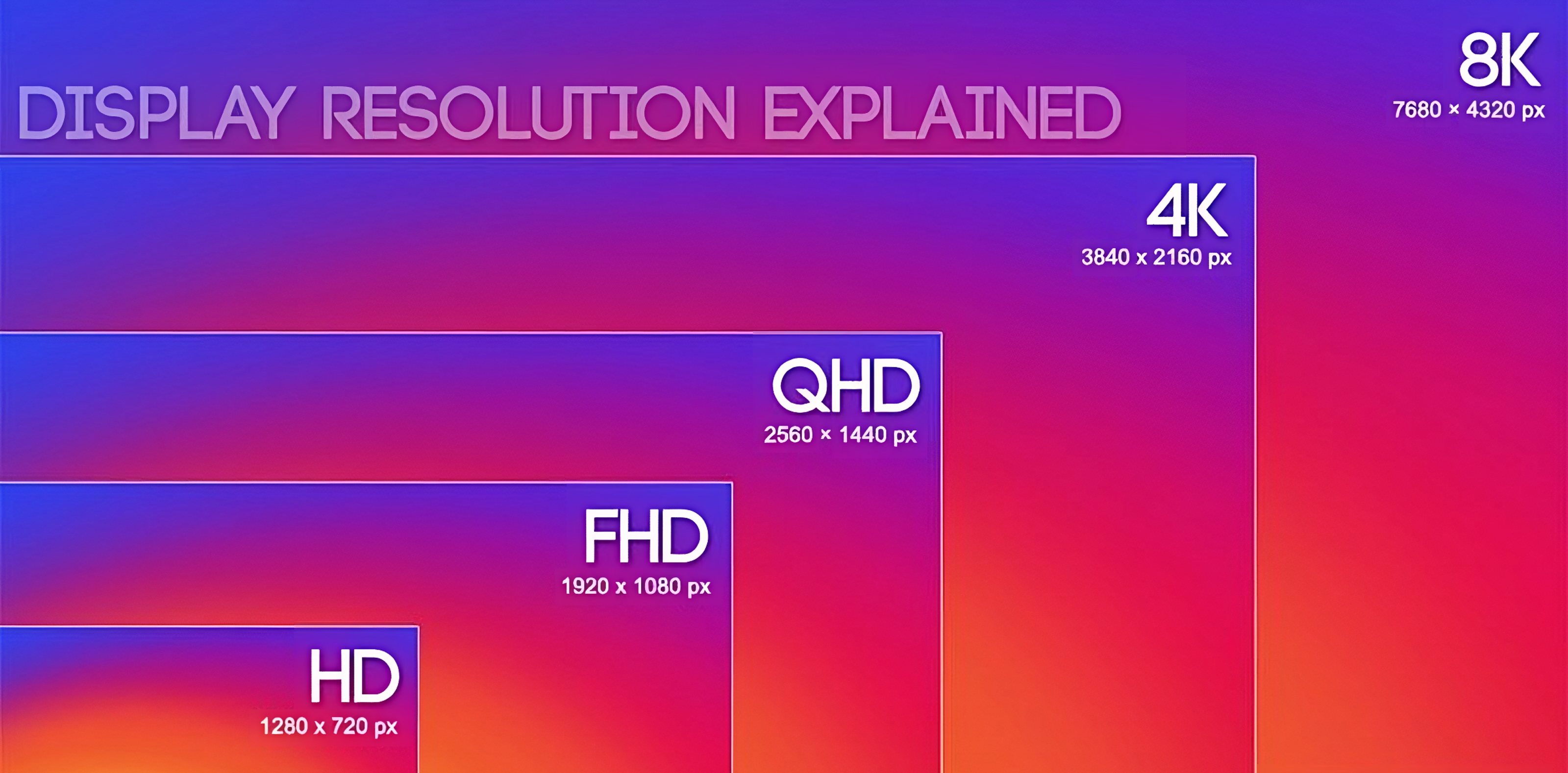
First of all, let's break down the acronym. Wide means that the display is wider than the standard 16:9 aspect ratio, which is common for most TVs and monitors. Quad means that the display has four times as many pixels as HD (High Definition), which is 1280 x 720 pixels. High Definition means that the display has a high level of detail and clarity, which makes images and videos look more realistic and sharp. Plus means that the display has a slightly higher resolution than WQHD, which is 2560 x 1440 pixels. WQHD+ is usually 2960 x 1440 pixels or 3200 x 1800 pixels, depending on the device.
So, what are the benefits of WQHD+?
Well, there are several advantages to having a higher-resolution display. For one thing, you can enjoy more content on your screen without having to zoom in or scroll down. You can also see more details and colours in your photos and videos, which makes them more immersive and lifelike. You can also read the text more easily and comfortably, as the fonts are smoother and clearer. And you can also play games with more realism and quality, as the graphics are more crisp and detailed.
But wait, there's more! WQHD+ also has some drawbacks that you should be aware of before you buy a device with this resolution. For one thing, WQHD+ consumes more battery power than lower resolutions, as it requires more processing power and backlighting to display all those pixels. You may notice that your device drains faster than usual when using WQHD+. You may also experience some compatibility issues with some apps and websites that are not optimized for WQHD+, as they may appear blurry or distorted on your screen. You may also need more storage space to store your high-resolution photos and videos, as they take up more space than lower-resolution ones.
So, should you care about WQHD+?
Well, that depends on your personal preference and needs. If you value image quality and detail over battery life and compatibility, then WQHD+ may be a good choice for you. If you prefer longer battery life and better performance over image quality and detail, then you may want to stick with lower resolutions like FHD (Full High Definition) or HD+. Ultimately, the choice is yours.
I hope you enjoyed this blog post and learned something new about WQHD+. If you did, please share it with your friends and family who may also be interested in this topic. And if you have any questions or comments about WQHD+, feel free to leave them below. I'd love to hear from you!
Thanks for reading!
Please sign in
Login and share