














Introducing Our New Email Notification Feature!

With the new Email Notification Feature, you can now receive emails with updates on:
✅ Online and offline events
🚀 New launches
📝 Content updates
✨ New features
🔔 Brand-related information & many more
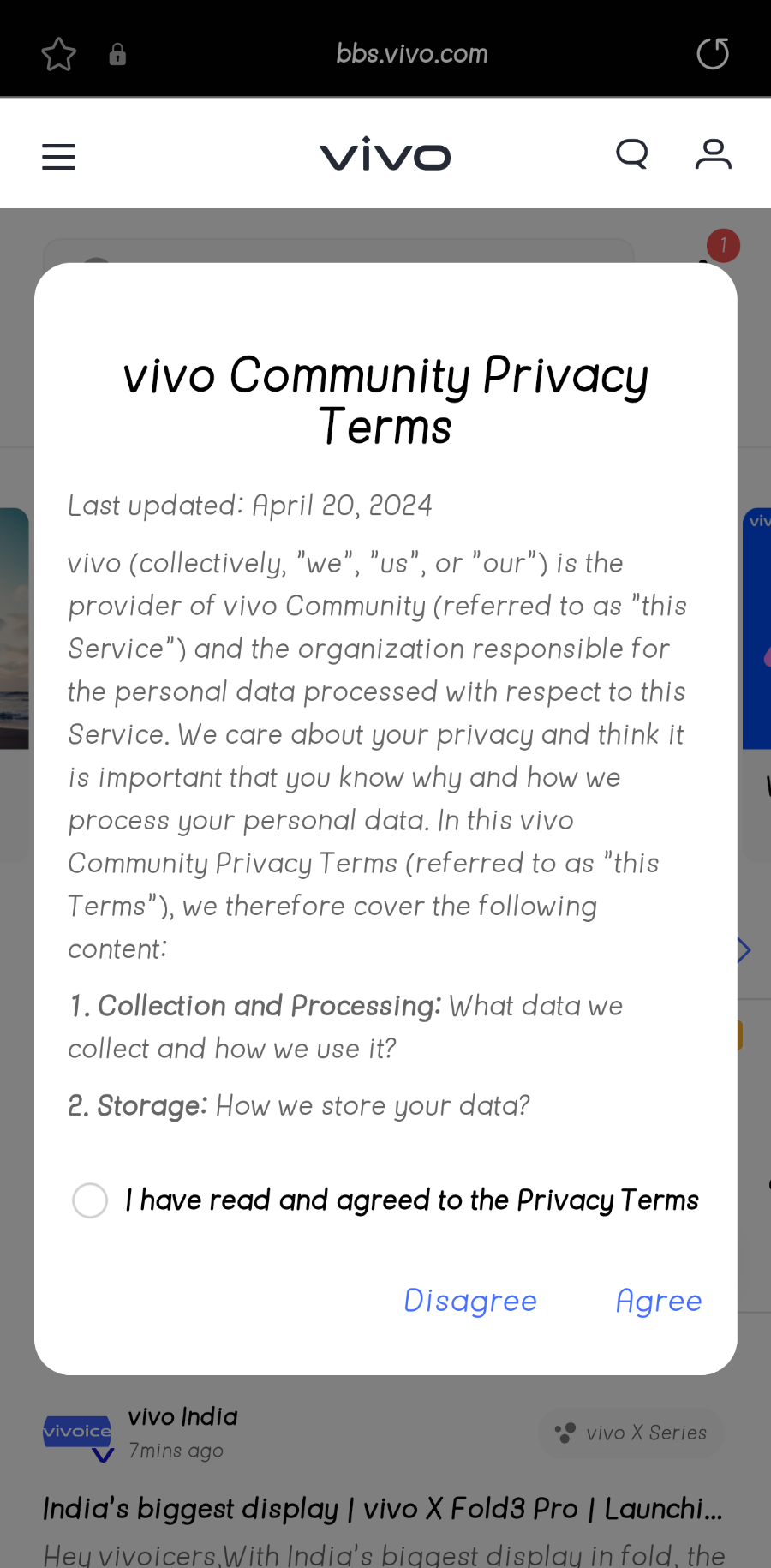
Figure 1, view larger image
📍How to Enable Email Notifications?
It's easy! Click "Agree" on the email notification popup that appears when you open the community on either the app or website. By giving your consent, you'll start receiving exciting updates directly to your inbox.
📍Want to Modify Your Preferences Later?
You can always manage your email notification preferences by following these steps:
1. Go to vivo community.
2. Navigate to the HomePage.
3. Tap on My Profile.
4. Select Email notification to enable or disable the feature.
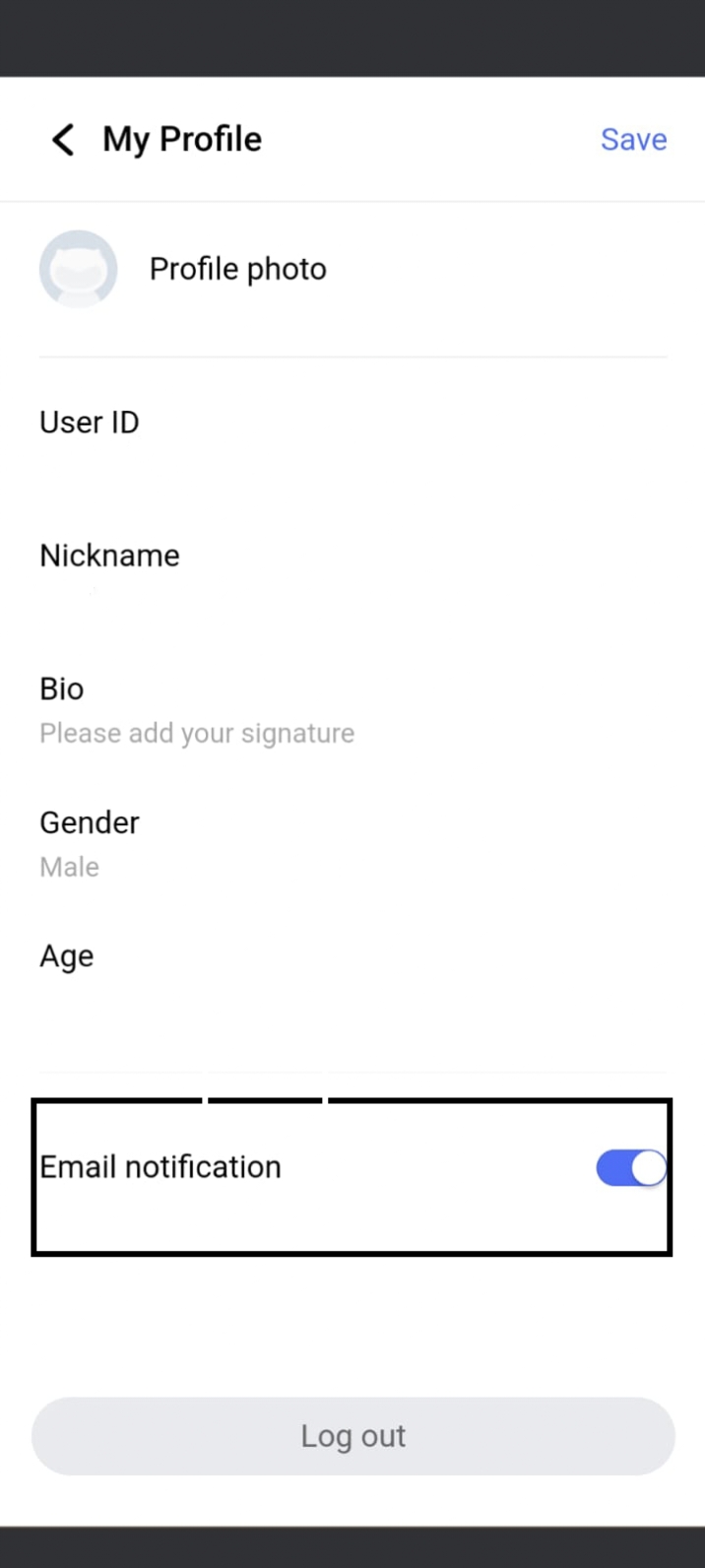
Figure 2, view larger image
vivo fans
1.1k
44
Please sign in
Login and share
Sign in