











Double Exposure Magic: Stunning Photos with Your Vivo Smartphone

Hey vivoicers!
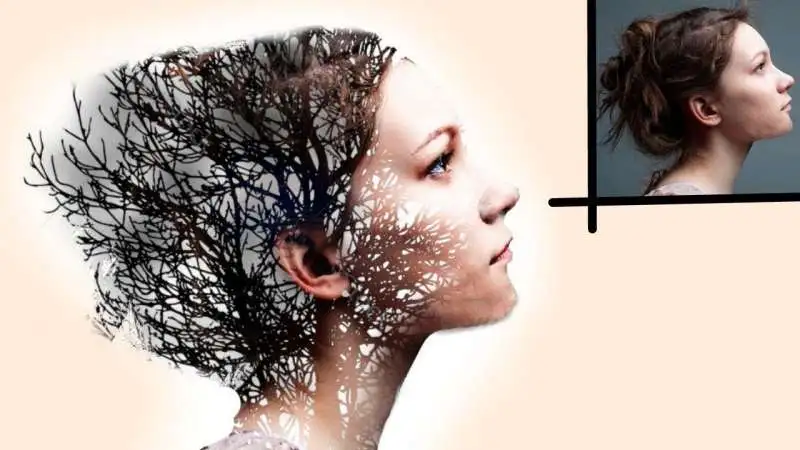
Ever seen those captivating photos where two images blend together, creating a dreamlike effect? That's the magic of double exposure photography, and guess what? You can achieve it right on your vivo phone!
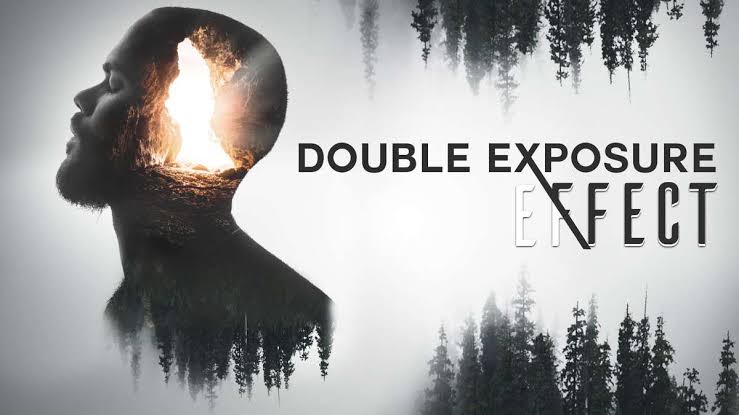
This thread will be your guide to unlocking the world of double exposures on mobile. We'll cover everything you need to know, from using built-in features to exploring powerful editing apps. So, grab your Vivo and get ready to create some artistic masterpieces!
Creating Double Exposures in-Camera:
vivo offers a plethora of camera features, and some models might have a built-in multi-exposure mode. If yours does, here's a general idea of how to use it (consult your user manual for specific steps):
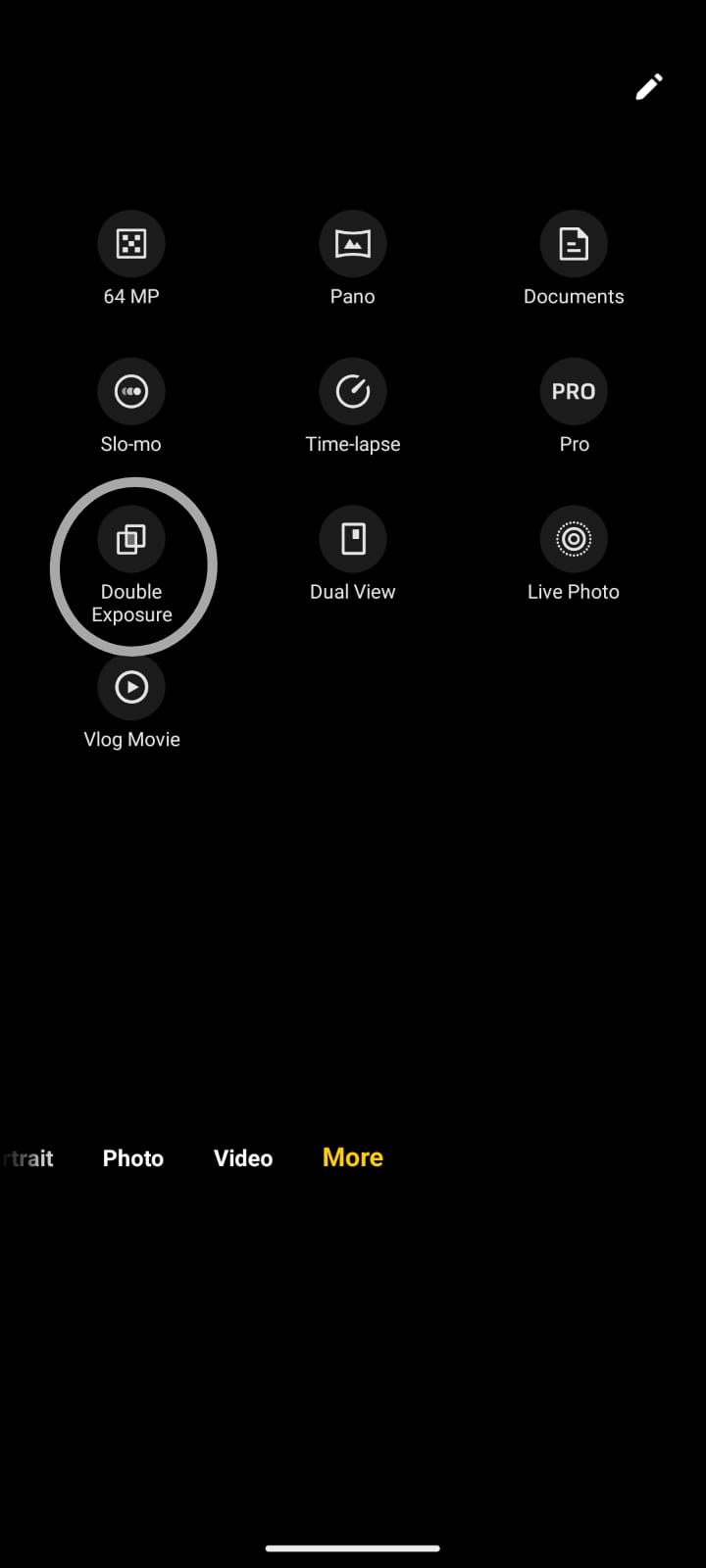
- Open the Camera app and switch to the double-exposure mode
- You'll likely have options for the number of exposures (usually 2 or 3). Choose your preference.
- Capture your first image. This could be a silhouette, a landscape, or anything that sets the base for your double exposure.
- Line up your second shot carefully, keeping in mind how it will interact with the first one. Experiment with different compositions!
- Capture your second image. The camera will automatically combine them, creating your double exposure!
Editing Apps for Double Exposure Mastery:
Even if your Vivo model doesn't have a built-in multi-exposure mode, fret not! There are fantastic editing apps that can help you achieve the same effect. Here are some popular choices:
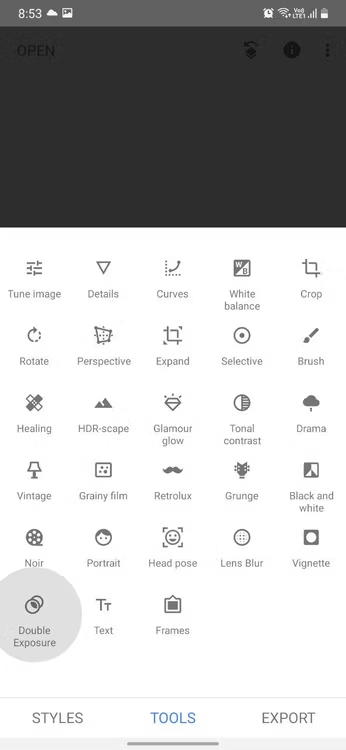
Snapseed (iOS & Android): A free and powerful editing app by Google. It has a dedicated "Double Exposure" tool under the "Tools" menu. Here, you can choose your base image, overlay a second image, and adjust blending modes and opacity for a perfect double exposure.
PicsArt (iOS & Android): Another versatile app with a "Blend" mode. Here, you can import two images, choose a blending mode, and erase unwanted areas with the eraser tool for precise control over your double exposure.
Tips for Mesmerizing Double Exposures:
- Pick Contrasting Images: For a striking double exposure, use photos with different tones, textures, or subjects. A silhouette against a bright landscape or a close-up portrait on top of a city skyline can create a captivating effect.
- Play with Blending Modes: Most editing apps offer various blending modes like "Lighten," "Multiply," "Screen," etc. Experiment with these to see how they affect the way your images interact.
- Opacity is Key: Adjusting the opacity of the overlaying image allows you to control how much of the base image shows through. A lower opacity creates a more subtle effect, while a higher opacity brings the top image more into focus.
- Experiment with Erasing: Some apps allow you to erase parts of the overlaying image for a more refined look. You can use this to create a window effect, revealing the base image strategically.
Don't Be Afraid to Get Creative! Double exposure photography is all about artistic expression. Try different combinations, explore textures, and have fun with the process!
Share Your Double Exposure Masterpieces!
Once you've created some stunning double exposures on your Vivo, don't forget to share them with the vivo community! Post your creations in the forum, and inspire others to explore the creative potential of their phones.
@Clicker_NextDoor@iqbal@SanketUrane@Aman@no_breathe@PriyanshuSingh@Syed Zaman 1990
Thank you!

Please sign in
Login and share