





















Capturing Motion: A Guide to Dynamic Photography with Your Vivo Smartphone

Hey vivoicers,
Motion photography is all about freezing action in time or capturing the fluidity of movement. With your Vivo smartphone, you can create dynamic images that tell a story and convey energy.
Here’s how to make the most of motion photography:
1. Choose the Right Shutter Speed
Shutter speed is key to capturing motion. For fast-moving subjects like sports, wildlife, or vehicles, a faster shutter speed (e.g., 1/1000s) will freeze the action, creating sharp, crisp images. For a sense of motion, use a slower shutter speed (e.g., 1/15s) to capture motion blur, which adds a dynamic feel to your photos.
2. Stabilize Your Camera
To capture motion effectively, especially with slower shutter speeds, it’s crucial to keep your camera steady. Use a tripod or rest your Vivo smartphone on a stable surface to avoid camera shake. For handheld shots, brace your arms against your body or use the volume button to reduce movement when pressing the shutter.
3. Use Burst Mode for Fast Action
When photographing fast-moving subjects, Burst Mode can be a lifesaver. It allows you to take multiple shots in quick succession, increasing your chances of capturing the perfect moment. To activate Burst Mode, press and hold the shutter button on your Vivo smartphone, and select the best shot from the series.
4. Experiment with Panning
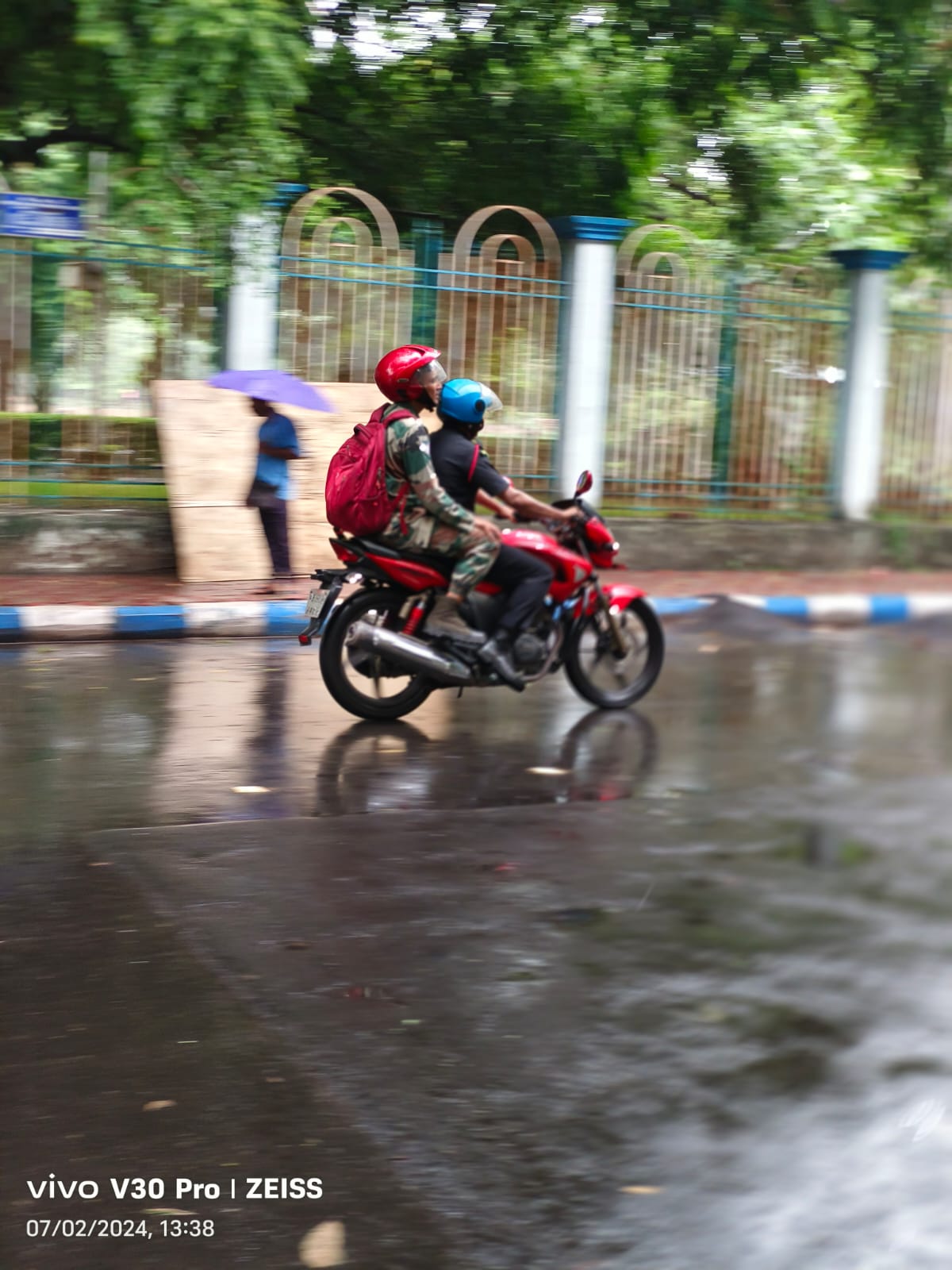
Panning is a technique where you follow a moving subject with your camera while using a slower shutter speed. This keeps the subject in focus while creating a blurred background, giving a sense of speed and motion. To achieve this, set your camera to a slower shutter speed (around 1/30s), lock focus on the subject, and move your phone smoothly in the same direction as the subject’s movement.
5. Capture Motion with Light Trails
Light trails are a stunning way to depict motion, especially in low-light environments. Use a longer exposure time (several seconds) in Pro/Master Mode to capture the trails of moving lights, such as cars on a road or stars in the sky. Keep your phone steady to ensure that the stationary elements in the frame remain sharp.
6. Focus on Leading Lines
Leading lines are powerful tools in motion photography. They guide the viewer’s eye through the image and emphasize the direction of movement. Look for natural or man-made lines, such as roads, paths, or fences, and align your shot so that the lines lead toward your moving subject.
7. Enhance with Post-Processing
After capturing your shots, a little post-processing can enhance the sense of motion. Use your Vivo smartphone’s editing tools to adjust contrast, highlight the motion blur, or increase saturation to make the image more dynamic. But remember to keep it subtle—your goal is to enhance, not overpower the original scene.
---
Embrace the Movement!
Motion photography opens up a world of creative possibilities. Whether you’re capturing a speeding car, a dancer in mid-air, or the flow of water, your Vivo smartphone is equipped to help you freeze time or showcase the beauty of movement. Share your best motion shots with the community, and let’s see how you bring action to life!
--
Please sign in
Login and share